 INRI
RFP response
Separate what your company can prove from what still needs an answer.
Read the worked example →Four practical starting points for your next proposal, first-week plan, sales review or content campaign.
Choose a kit, prepare a brief and use a clear review checklist. The builder below runs locally. AI generation is a separate step in the limited public demo or your purchased workspace.
Separate what your company can prove from what still needs an answer.
Read the worked example →Give each first-week task a source, an owner and an approval.
Read the worked example →Distinguish what the buyer said from what the sales team infers.
Read the worked example →Adapt one approved source for several channels without multiplying unsupported claims.
Read the worked example →Your entries stay in this page’s memory and are not submitted by this builder. Download the brief to keep it. Do not include passwords, personal records or confidential customer information.
Choose a goal and approved source material.
Run the purchased workflow or a limited public demo.
Check evidence, assign open tasks and approve the revision.
Download reviewed work; sending and publishing remain your choice.
Organization workspaces bring shared documents, saved conversations and reusable workflows together. The public builder does not create an account or project. Compare actual prices and shared processing limits before purchasing.
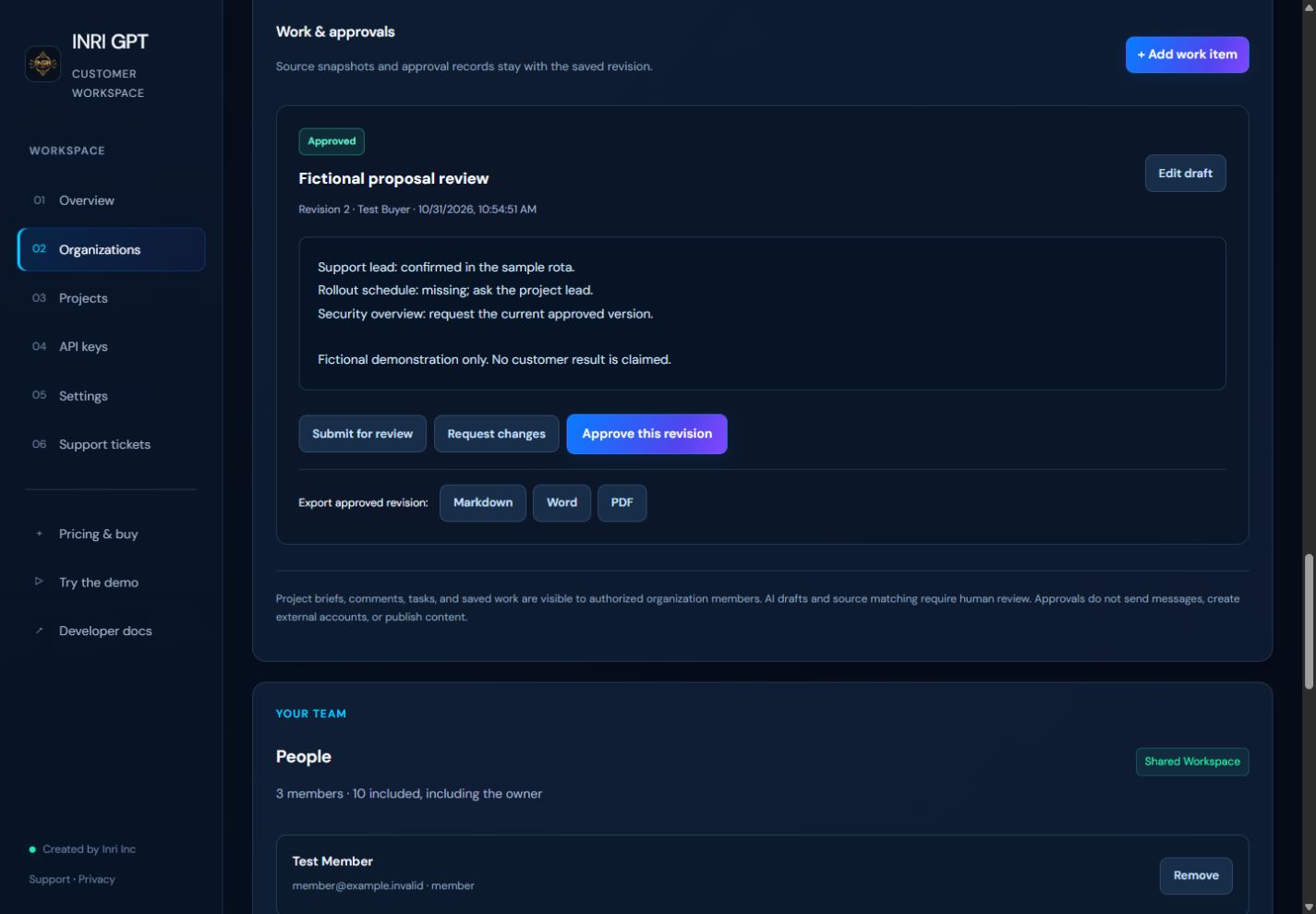
Start a project from a kit, choose Draft with team AI to prepare a response in a saved conversation, then import it into a work item. Attach evidence, review gaps and approve the revision before exporting. Starting a conversation alone does not spend an AI request.